Personliche Daten
Name and Mitarbeiter-ID for institutional identification.
A4 Desk BABEL - Visuelle Referenz fur Schnittstellenkomponenten und Arbeitsablauf A4 Desk BABEL - Visual Reference for Interface Components and Workflow A4 Desk BABEL - Referencia Visual para Componentes de Interface e Fluxo de Trabalho
Der sichere Einstiegspunkt zum WINDI-System. Alle Benutzer mussen sich mit institutionellen Anmeldedaten authentifizieren. The secure entry point to the WINDI System. All users must authenticate with institutional credentials. O ponto de entrada seguro para o Sistema WINDI. Todos os usuarios devem se autenticar com credenciais institucionais.
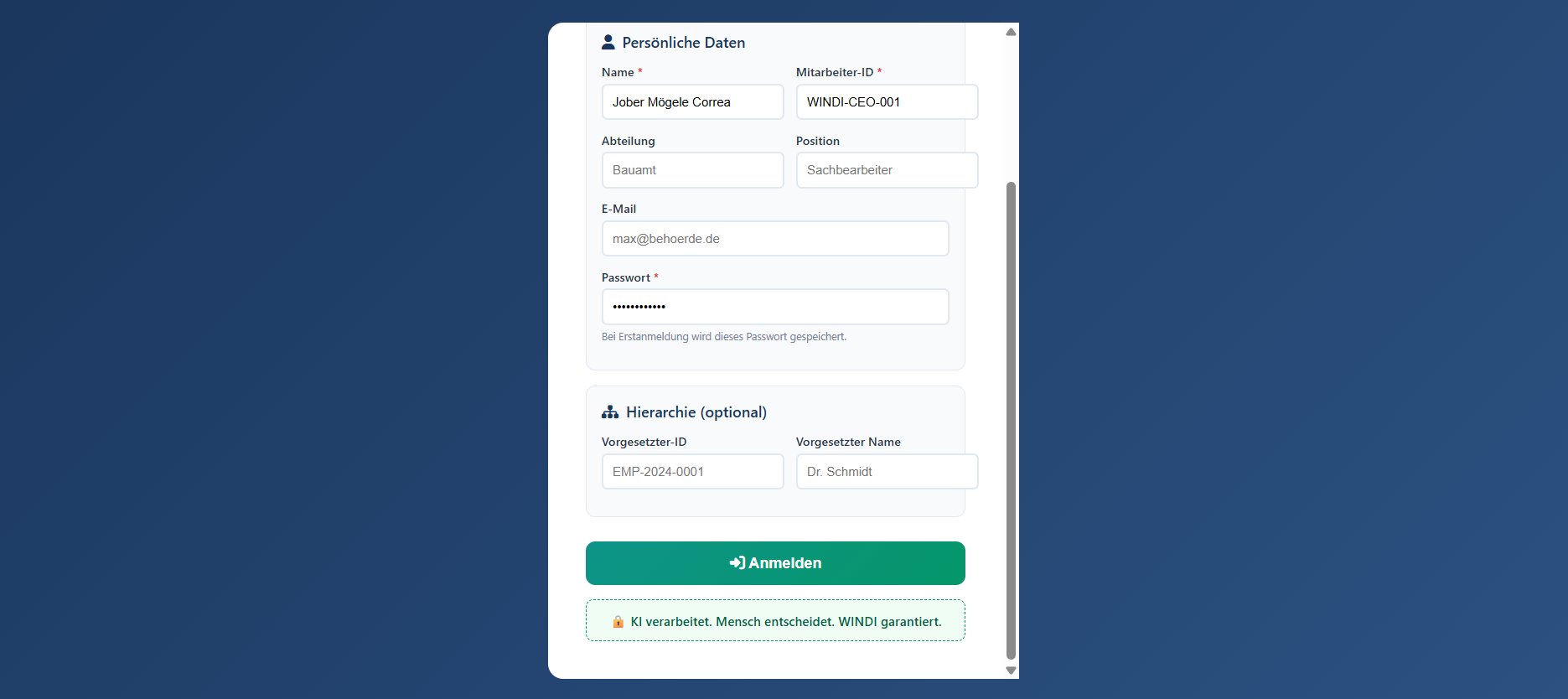 1 Personal Data
2 Department & Role
3 Secure Password
4 Hierarchy (Optional)
5 Login Button
6 WINDI Principle
1 Personal Data
2 Department & Role
3 Secure Password
4 Hierarchy (Optional)
5 Login Button
6 WINDI Principle
Name and Mitarbeiter-ID for institutional identification.
Department and role assignment for access control.
Authentication credential. Stored securely on first login.
Supervisor reference for approval workflows.
Submit credentials to access the system.
"KI verarbeitet. Mensch entscheidet. WINDI garantiert."
Der primäre Arbeitsbereich, der Dokumentenbearbeitung, KI-Unterstutzung und Governance-Kontrollen kombiniert. The primäry workspace combining document editing, AI assistance, and governance controls. O espaco de trabalho principal que combina edicao de documentos, assistencia de IA e controles de governanca.
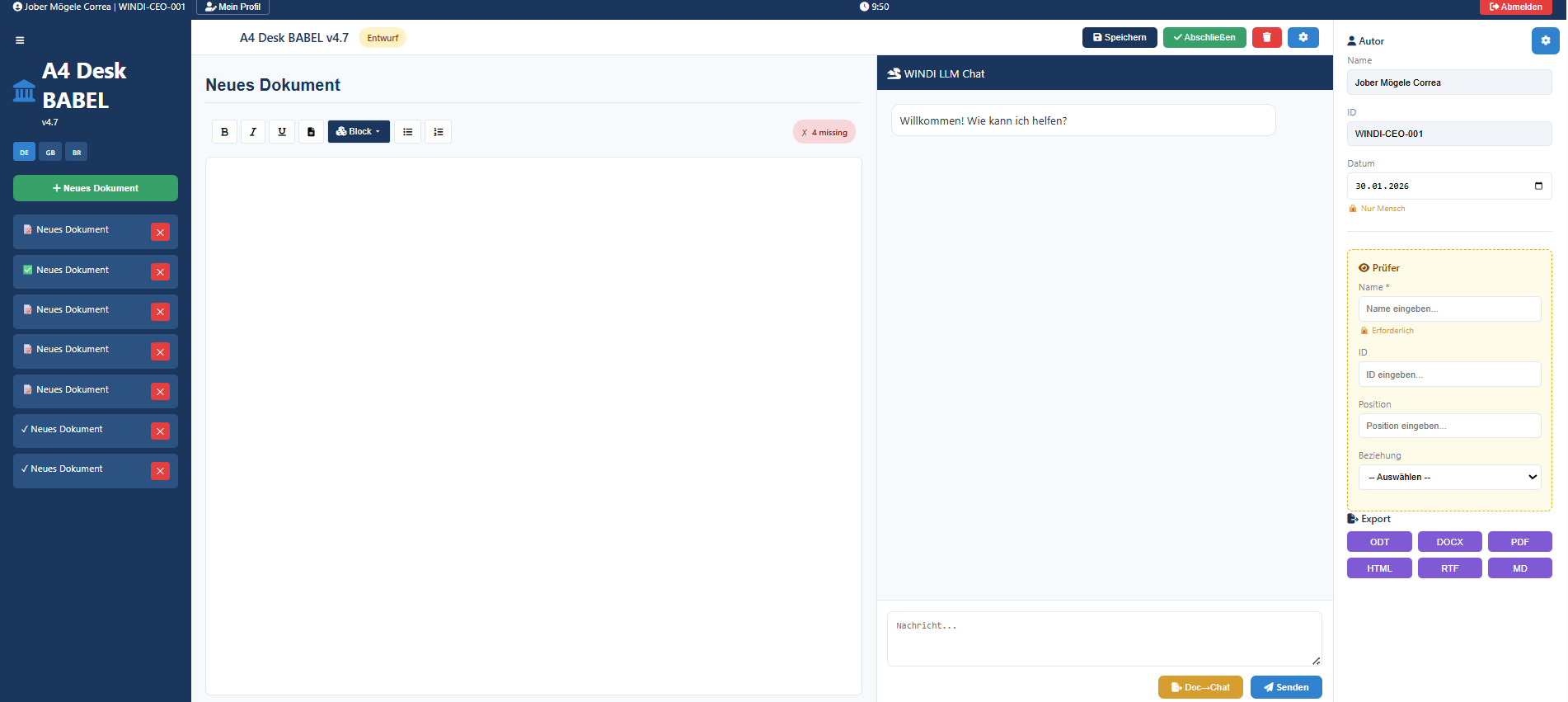 1 User & Session
2 Action Buttons
3 Sidebar Navigation
4 Document List
5 Editor Toolbar
6 Document Editor
7 AI Chat Panel
8 Author Metadata
9 Reviewer Assignment
10 Export Options
1 User & Session
2 Action Buttons
3 Sidebar Navigation
4 Document List
5 Editor Toolbar
6 Document Editor
7 AI Chat Panel
8 Author Metadata
9 Reviewer Assignment
10 Export Options
Logged-in user identity, profile access.
Speichern (Save), Abschliesen (Finalize).
System branding and language selection.
All documents with status indicators.
Formatting: Bold, Italic, Lists.
Rich text editing area.
AI assistant panel. Human approval required.
Document author and date.
Four-eyes principle enforcement.
ODT, DOCX, PDF, HTML, RTF, MD.
1. Login with institutional credentials
2. Click "+ Neues Dokument" to create document
3. Use toolbar to format content
4. Ask WINDI Chat for assistance (optional)
5. Review and edit AI suggestions
6. Assign Prufer (Reviewer) if required
7. Click "Speichern" to save draft
8. Click "Abschliesen" to finalize
9. Export as PDF with WINDI-RECEIPT